Spotify Un(Wrapped)
A UX Case Study on Music Discovery and Social Engagement
Evaluating the usability and social listening dynamics of Spotify to understand how experienced power users discover new music, organize complex playlists, and connect through shared listening.
Duration
6 Weeks
Role
UX Researcher
Domain
Qualitative & Quantitative UX Research
Target Focus
Spotify Premium Power Users
Why did we choose Spotify?
We chose Spotify for this evaluation because it is a widely-used platform that transformed music access and social interactions through shared listening. Spotify's pioneering social features allow users to connect, discover new music, and collaborate on playlists, which aligns with our interest in studying user experience in music-sharing communities.
Its large user base and frequent updates make it relevant for assessing design choices on usability and social engagement, as well as exploring areas for enhancing user satisfaction across personal listening and shared community experiences.
Daily companion for studying, working out, and commuting.
Features like Blend, Wrapped, and collaborative playlists.
Frequent updates introduce unexpected interaction barriers.
Who is on Spotify?
User interviews were conducted to understand the in-depth pain points faced by users. Our demographic was based on convenience and consisted of college students only.
Platform Experience
Participants possessed between 3 to 11 years of continuous experience using Spotify, representing experienced power listeners.
Spotify Premium
All of the interviewees used Spotify Premium, ensuring that lack of ad-free access or feature gating was not a limiting factor.
Target Cohort
University students balancing demanding study routines, social sharing, and high mobile media consumption.
What problems did we uncover?
Through initial semi-structured interviews, six primary friction points emerged across music discovery, playlist curation, and social engagement.

Only Option for Sharing Music is via Third-Party Apps
Users can only share songs by exporting links through external social platforms like Instagram or Facebook, breaking in-app listening momentum.

Confusing Navigation for Downloading Music and Slow Content Loading
Finding downloaded tracks is counter-intuitive. Downloaded songs also unexpectedly require re-syncing or disappear after 30 days of offline mode.

Poor Playlist Management on Mobile Devices
Editing large playlists on touchscreens is clumsy. Dragging tracks across hundreds of positions causes finger fatigue and frequent misplacements.

No Option to Share Songs Within the App
Spotify lacks a direct in-app messaging or friend-inbox system, requiring users to switch applications whenever they want to recommend a track.

Tedious Process of Adding Songs from "Now Playing" to Existing Playlists
Adding a song currently playing requires multiple unnecessary clicks and sub-menus instead of offering an intuitive, instant destination picker.

Lack of Song Previews Complicates Playlist Management
Users cannot preview unfamiliar tracks directly while organizing or adding songs, forcing them to interrupt current playback to verify a song.
So who are we designing for?
A persona was created based on the interview findings collected across all team members. This persona reflected the common user behaviors, needs, frustrations, and goals identified during the interviews, providing a clear representation of Spotify users for further design considerations.
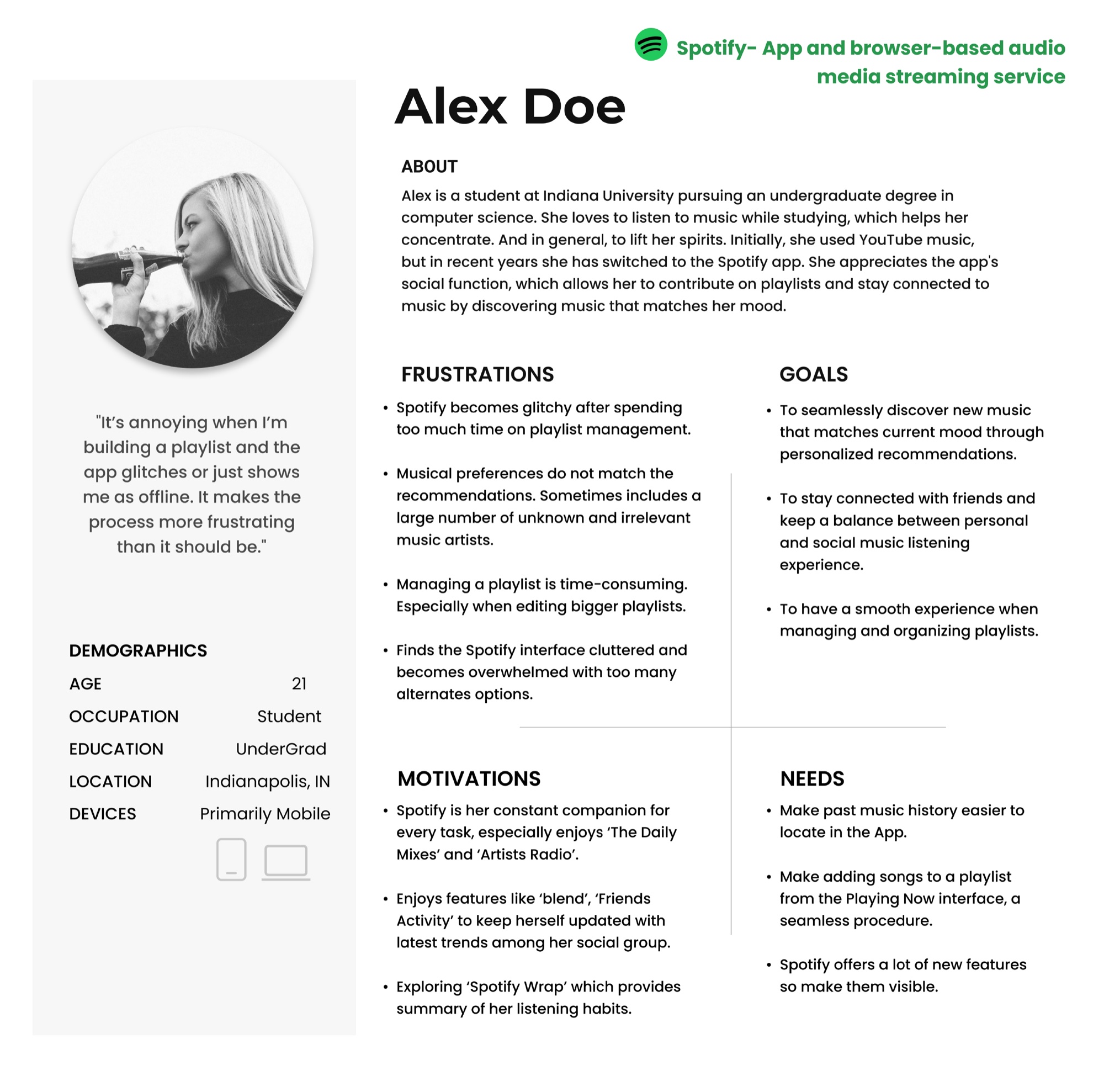
Figure 1: Primary persona profile: Alex Doe, undergraduate student at Indiana University.
Qualitative coding framework and affinity diagram
An affinity diagram was created based on interview findings to organize and analyze the data effectively. We categorized user observations into five core thematic codes.
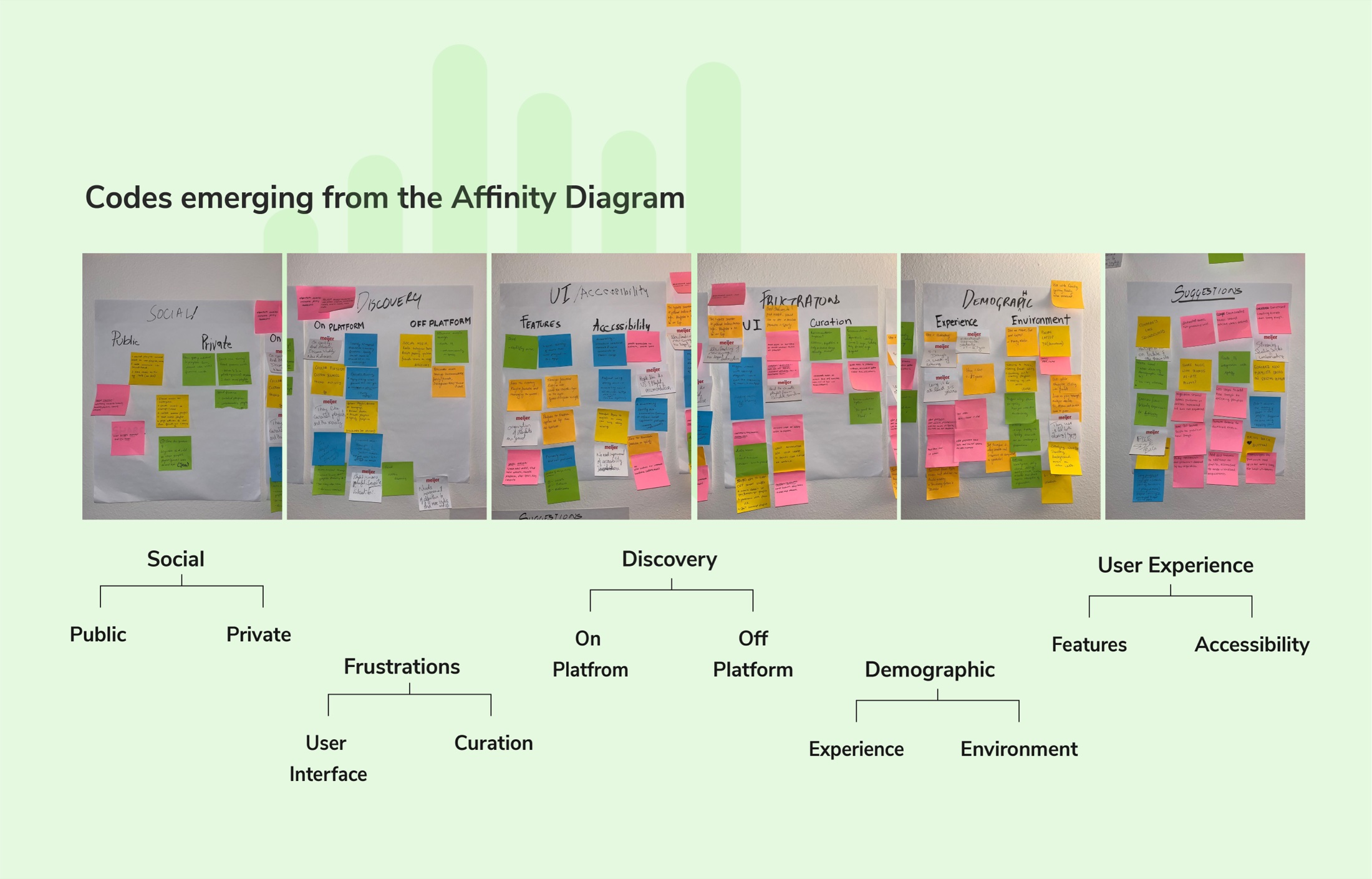
Figure 2: Codes emerging from the affinity diagramming session across 6 physical boards and thematic tree.
How well does the user know their music and app?
To understand better the struggles of our users, we conducted a think aloud session with the following three tasks and measured user performance based on metrics.
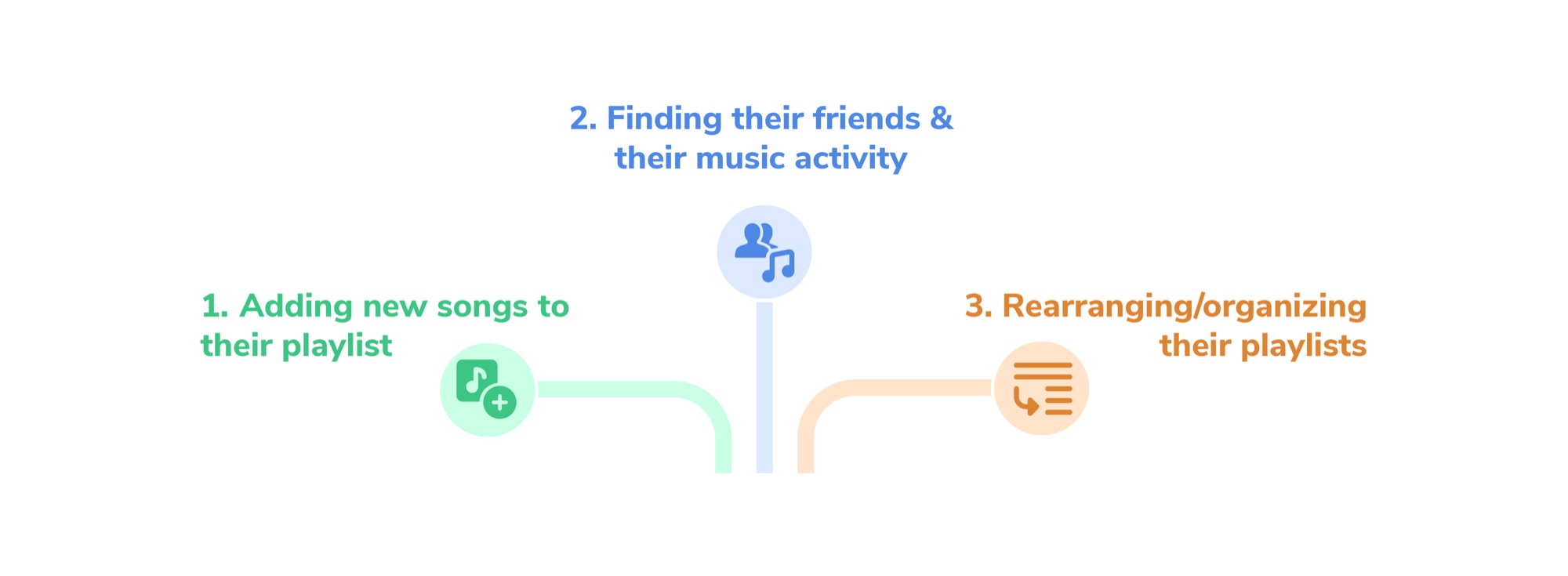
Figure 3: The three evaluated tasks: Adding new songs, Finding friends and activity, and Rearranging playlists.
The following metrics were considered for the Think Aloud Observations:

Mistakes and wrong paths

Extra navigation steps

Duration to complete

Subjective ease of use
Results from Think Aloud Observations
• Participants struggled with locating friend profiles and using features due to inconsistent design and unclear instructions.
• Faced confusion over friend search functionality, ambiguous icons, and too many steps for simple tasks.
• A standard deviation of 36 seconds was observed for finding a friend's profile, showing a significant gap between experienced and novice users.
Could users successfully complete tasks?
In our usability evaluation, we calculated confidence intervals which provide insights into the likelihood that users will complete specific tasks successfully. A confidence interval represents the range in which we expect the true task completion rate to fall, based on our sample of users.
Add New Song to Playlist from 'Now Playing'
95% Confidence Interval
If we repeated this study with task 1, 95% of those studies would show a success rate between 92.86 - 100%. Highly unlikely that users fail this task.
Navigate to Friend Profile & Add Music
95% Confidence Interval
If we repeated this study with task 2, 95% of those studies would show a success rate between 78.57 - 96.50%. Moderate friction navigating nested sub-tabs.
Group 2 Songs Together from Same Album
95% Confidence Interval
If we repeated this study with task 3, 95% of those studies would show a success rate between 50 - 74.62%. Significant chance of task failure.
Probability of Detection
99.67% Catch RateProbability of detection tells us how many usability issues we are likely to catch based on the number of users we test.
With the help of a probability of detection matrix, we discovered that the percentage of issues that would be discovered with just 5 users would be 99.67%.
| Participant | Searching for a Friend | Viewing Friend Activity | Playlist Management | Confusing UI | UI Inconsistencies | Proportion |
|---|---|---|---|---|---|---|
| P1 to P3 | x | x | x | x | 0.80 | |
| P4 to P8 | x | x | x | x | x | 0.60 - 0.80 |
| P9 to P12 | x | x | x | x | 0.40 - 0.80 | |
| Proportion | 0.75 (75%) | 1.00 (100%) | 0.66 (66%) | 0.75 (75%) | 0.25 (25%) | 0.682 (68.2%) |
What does our data say?
To measure overall user satisfaction with Spotify's interface, we administered a System Usability Scale (SUS) survey. SUS is an industry-standard, reliable psychometric questionnaire consisting of 10 alternating positive and negative statements evaluated on a 1 to 5 scale (from 1 = "Strongly Disagree" to 5 = "Strongly Agree"). The raw responses are mathematically converted to produce a composite score from 0 to 100.
Scores are benchmarked against an industry average of 70.0, where a score above 70 indicates acceptable to good usability, while scores below 70 reveal acute design friction. We conducted formal statistical hypothesis testing to determine whether Spotify's usability significantly fell below this industry standard.
Average SUS Score
Sample mean (n = 12)
Benchmark SUS
Industry target standard
Confidence
p < 0.01 significance
Standard Deviation
Variation across users
T-Value
t-test against 70.0
Sub-Benchmark Usability (53.13 vs 70.0)
The sample mean of 53.13 confirms Spotify's tested mobile flows rate in the bottom quartile of usability standards, underscoring substantial usability friction particularly in playlist organization and social discovery.
High Variance (SD = 17.84)
The wide standard deviation shows an inconsistent experience. Seasoned listeners who mastered complex workarounds scored as high as 80.0, while other participants experienced complete task blocks (scoring as low as 30.0).
Detailed SUS Calculations, Raw Data & Statistical Proof
Full Breakdown
Click to explore the 10 questions, scoring rules, 12-participant matrix, and t-test formulas
Detailed SUS Calculations, Raw Data & Statistical Proof
Full BreakdownClick to explore the 10 questions, scoring rules, 12-participant matrix, and t-test formulas
Tasks Evaluated During the SUS Survey
Navigate to a friend's profile, find a track or playlist your friend is listening to, and add it to your library.
Within an existing playlist, group two songs together from the same album on a mobile device.
How the System Usability Scale is Calculated
Positive statements: Score contribution = Scale Position - 1 (0 to 4).
Negative statements: Score contribution = 5 - Scale Position (0 to 4).
Multiply sum of converted scores by 2.5: Final SUS = Sum × 2.5.
- I found it easy to navigate my friend's profile to view their music activity. (+)
- I found searching/viewing friend activity unnecessarily complex. (-)
- I thought the interface made it simple to add a song to my library. (+)
- I would need assistance to find and interact with friends' music. (-)
- I was able to quickly navigate my friend's profile. (+)
- I found grouping songs from the same album confusing. (-)
- I felt confident in managing my playlist. (+)
- I thought it was difficult to organize my playlist. (-)
- I found playlist management features well integrated and intuitive. (+)
- I found grouping songs physically demanding on mobile. (-)
Participant Response Matrix & SUS Scores (n = 12)
Sum Total: 637.5 · Average: 53.13| User | Interviewer | Q1 | Q2 | Q3 | Q4 | Q5 | Q6 | Q7 | Q8 | Q9 | Q10 | Sum | SUS Score |
|---|---|---|---|---|---|---|---|---|---|---|---|---|---|
| P1 | Fernando Luna | 3 | 1 | 2 | 3 | 3 | 1 | 1 | 3 | 2 | 3 | 22 | 55.0 |
| P2 | Fernando Luna | 3 | 1 | 3 | 3 | 4 | 4 | 4 | 4 | 3 | 1 | 29 | 72.5 |
| P3 | Shruti Ramugade | 1 | 1 | 1 | 2 | 1 | 2 | 3 | 2 | 2 | 1 | 16 | 40.0 |
| P4 | Shruti Ramugade | 1 | 0 | 2 | 3 | 1 | 0 | 1 | 0 | 4 | 0 | 12 | 30.0 |
| P5 | Rhea Mittal | 4 | 3 | 4 | 3 | 4 | 1 | 2 | 4 | 3 | 3 | 31 | 77.5 |
| P6 | Rhea Mittal | 1 | 1 | 4 | 1 | 1 | 0 | 0 | 1 | 0 | 4 | 13 | 32.5 |
| P7 | Shreya Kamath | 2 | 2 | 3 | 3 | 3 | 3 | 4 | 4 | 3 | 1 | 27 | 67.5 |
| P8 | Shreya Kamath | 1 | 0 | 1 | 0 | 1 | 2 | 3 | 4 | 3 | 0 | 15 | 37.5 |
| P9 | Dinesh Bhathad | 0 | 4 | 1 | 4 | 0 | 1 | 3 | 1 | 3 | 1 | 23 | 57.5 |
| P10 | Dinesh Bhathad | 3 | 2 | 4 | 2 | 3 | 0 | 2 | 2 | 0 | 1 | 19 | 47.5 |
| P11 | Sahil Deshpande | 3 | 3 | 4 | 4 | 3 | 4 | 4 | 3 | 4 | 0 | 32 | 80.0 |
| P12 | Sahil Deshpande | 1 | 1 | 4 | 1 | 1 | 2 | 1 | 1 | 1 | 4 | 16 | 40.0 |
| Sum Total / Sample Average (Mean): | 637.5 | 53.13 | |||||||||||
Complete Mathematical Hypothesis Testing & Confidence Interval
Testing H0: μ = 70.0 (Benchmark) vs H1: μ < 70.0
Standard Error (SE) = s / √n
SE = 17.84 / √12 = 17.84 / 3.4641 = 5.150
t = (x̄ - μ) / SE
t = (53.125 - 70.00) / 5.150 = -16.875 / 5.150
t = -3.27575
Degrees of freedom df = 12 - 1 = 11. Critical t at α = 0.05 is -1.796. Since calculated t (-3.28) is far below critical value, the null hypothesis is rejected with 99% confidence.
Interval Estimation of Population Mean Usability
Margin of Error = t*(df=11) × (s / √n)
Margin of Error = 1.80 × 5.150 = 9.26994
CI = 53.125 ± 9.27
Lower Bound = 53.125 - 9.27 = 43.855
Upper Bound = 53.125 + 9.27 = 62.395
CI: [43.85, 62.39]
Even at the highest possible upper bound of the confidence interval (62.39), Spotify's population score remains decisively below the 70.0 benchmark.
Common Usability Issues Identified from SUS Responses
Users struggled to organize playlists, especially grouping multiple tracks from the same album.
Navigating to friend profiles and viewing current music activity felt counter-intuitive and unnecessarily complex.
Unclear affordances caused confusion when attempting to add songs directly from friends' listening activity.
Multiple participants stated they would need guidance to discover and use Spotify's social listening features.
Dragging tracks across long mobile playlists was reported as physically demanding and prone to drop errors.
What problems did we find, and what are the solutions?
Synthesizing the quantitative telemetry and think-aloud feedback, we developed three direct design interventions to eliminate core points of user confusion.
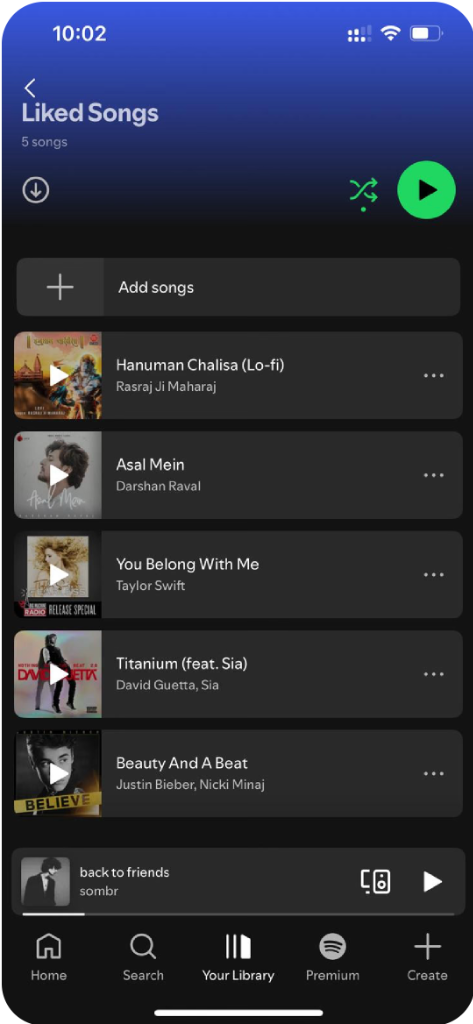
The "+" icon misleads users, they expect it to add to a playlist, but it adds to Liked Songs instead.
Adding a song from Now Playing came up repeatedly in interviews as a tedious, multi-step task.
Turn the "+" into a dropdown so users can save the song to Liked or pick a specific playlist, removing any confusion about where it goes.

Users were unaware that they could view friends' activity or didn't know where to find it.
Viewing friend activity tripped up 100% of participants, and time to find a friend's profile varied by 36 seconds (SD).
For easy friend discovery, integrate friend search directly into the main search bar and display friend activity on the dashboard.
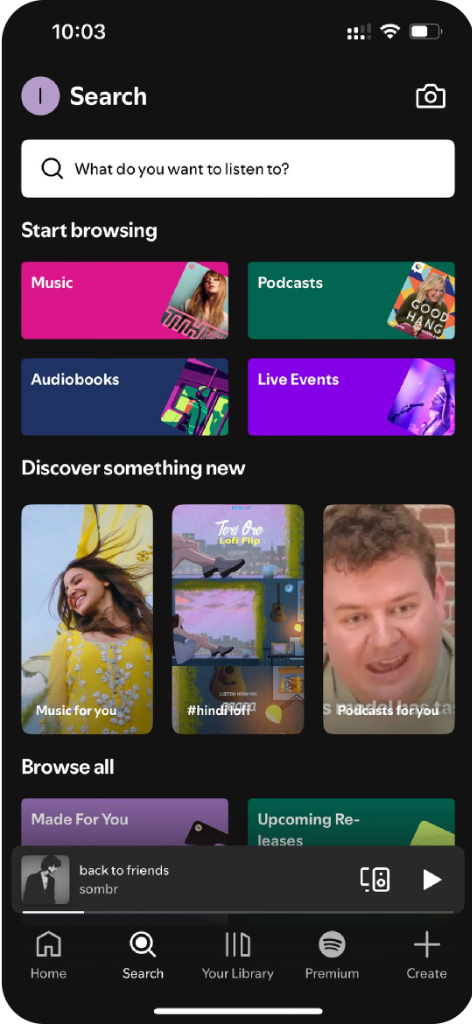
Playlist editing was described as cumbersome, requiring entering "Edit Mode" and scrolling through long lists.
Only 6 of 12 participants managed to group two songs from the same album (Task 3).
Relocate "Edit Playlist" to the main playlist screen and add in-playlist search plus a "Move to Top" option for faster, more intuitive reordering.
Future design opportunities
Voice Control for Hands-Free Interaction
Based on user feedback regarding navigation and playlist management frustrations, explore voice-controlled interactions for adding songs to playlists, grouping tracks, or checking friends' profiles while driving or working out.
Social Feature Integration with External Platforms
Users frequently discover new music on platforms like Instagram and YouTube. Providing deeper integration allows users to directly add songs they discover externally into their Spotify library, eliminating app-switching fatigue.