PennyPal
AI-Assisted Student Budgeting App for Stress-Free Financial Wellbeing
A financial companion specifically crafted to address the volatile budgeting challenges faced by college students: irregular paychecks, sudden academic fees, manual tracking fatigue, and the emotional anxiety of unexpected costs.
Duration
5 Weeks
Role
UX Researcher & Designer
Team Size
4 Members
Core Domain
Product Design, UI & FinTech
The Financial Reality of College Students
Budgeting in college is fundamentally different from managing adult household finances. Most personal finance apps assume steady bi-weekly salaries, mortgage payments, and predictable utility bills. College students, by contrast, navigate irregular part-time shifts, delayed financial aid disbursements, sudden textbook fees, and volatile social expenses.
When students overspend by even 10 dollars, traditional budgeting apps blast bright red alerts and punitive warnings. Instead of fostering better habits, this triggers stress, leading students to avoid opening the app entirely.
Logging daily purchases like coffee, groceries, and fast food requires opening an app, typing numbers, selecting categories, and adding notes. Within 7 to 10 days, over 70% of students abandon manual tracking due to cognitive fatigue.
"How might we design a calm, low-effort budgeting tool that eliminates manual logging friction, accommodates volatile student income, and builds sustainable financial confidence without inducing shame?"
Iterative 5-Week Design Process
Our team structured the 5-week sprint across five iterative stages: Discovering student pain points through field interviews, defining core conceptual models, brainstorming via SWOT and mind mapping, prototyping wireframes and mid-fi flows, and validating solutions with telemetry KPIs.
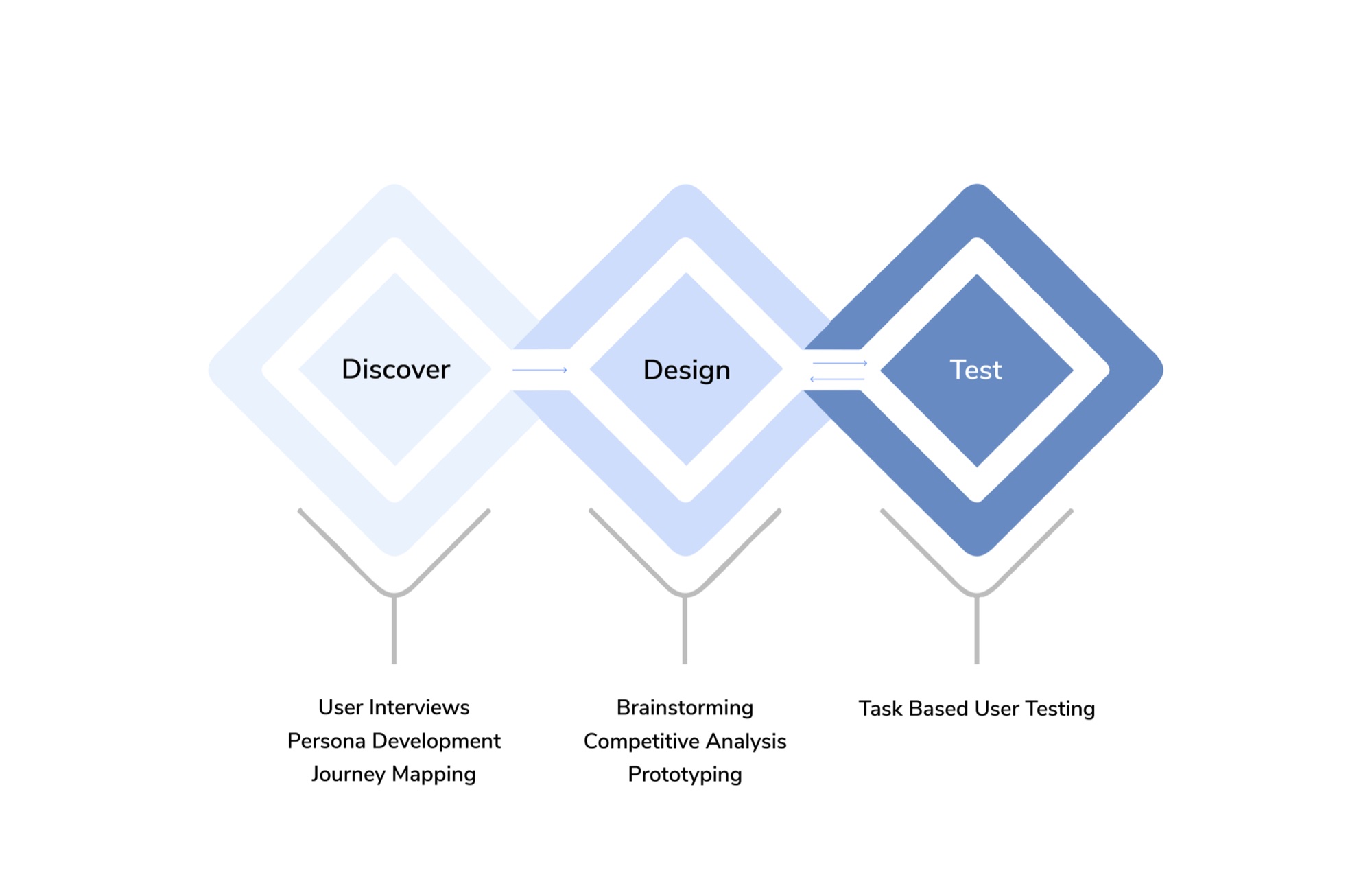
Discover Phase: 20 User Interviews
To understand how students actually manage money, we conducted semi-structured interviews with 20 students (undergraduates, master's candidates, and PhD researchers, ages 18 to 30) from various academic disciplines and financial situations.
5 Core Research Inquiries
- Current Tracking Mechanisms: How do students currently track expenses and balance their bank accounts?
- Tools & Point of Failure: What specific tools (spreadsheets, banking apps, notebooks, mental math) do they rely on, and why do they quit?
- Income Volatility: How do irregular paychecks, campus jobs, and student loans affect daily spending choices?
- Emotional Anxieties: What triggers emotional panic and budgeting abandonment when unplanned expenses arise?
- Automation Preferences: How comfortable are students with AI voice transcription and automatic bank categorization versus manual review?
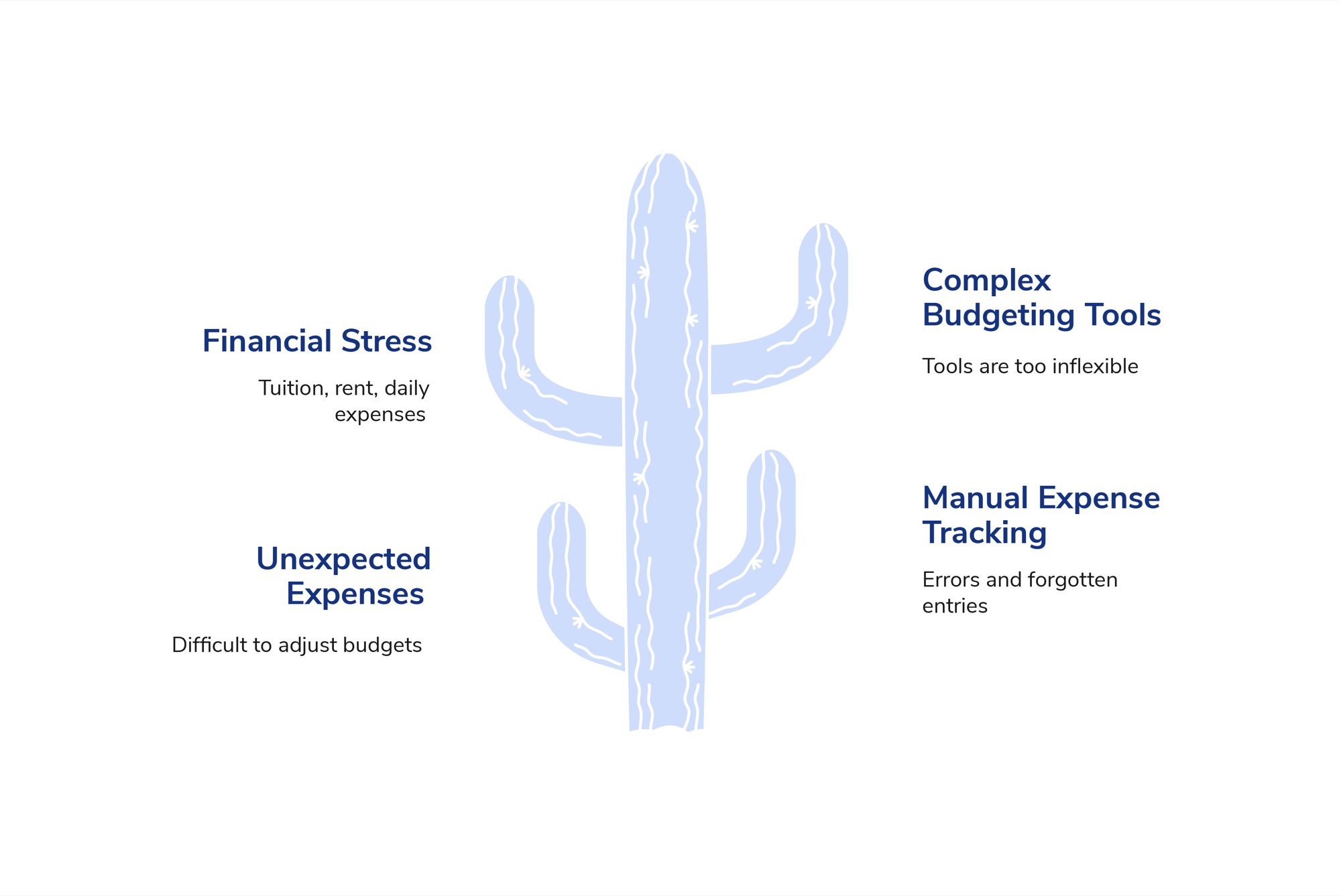
Research Synthesis: The Avoidance Cycle
Our 20 student interviews revealed that these tensions do not exist in isolation: they form a compounding avoidance loop. Manual receipt entry creates cognitive fatigue, causing students to delay updating their records. When unplanned costs inevitably arise, rigid monthly allowances shatter without flexible rebalancing, prompting feelings of failure and guilt. Consequently, students stop opening their budgeting tools altogether. PennyPal was engineered specifically to break this cycle by shifting from tedious bookkeeping to automated, frictionless habit building.
Observational Studies: Protocol & Baseline Setup
To understand the exact friction points in students' daily budgeting, we conducted observational studies. We asked participants to perform a core financial task using their current methods (spreadsheets, banking apps, notes, or mental math) and established a structured KPI benchmark to evaluate their baseline experience.
Observational Task Scenario
Task: Create and manage a weekly budget using your current method (e.g. budgeting apps, spreadsheets, or note-taking apps) and log your recent transactions.
Core Key Performance Indicators (KPIs)
Measured duration required to record expenses and reconcile category balances. In baseline tests, participants took up to 15 minutes per session.
- Accuracy: 1 (Very Poorly) to 5 (Very Accurately)
- Financial Stress: 1 (Not Stressed) to 5 (Extremely Stressed)
- Savings Awareness: 1 (Not Aware) to 5 (Very Aware)
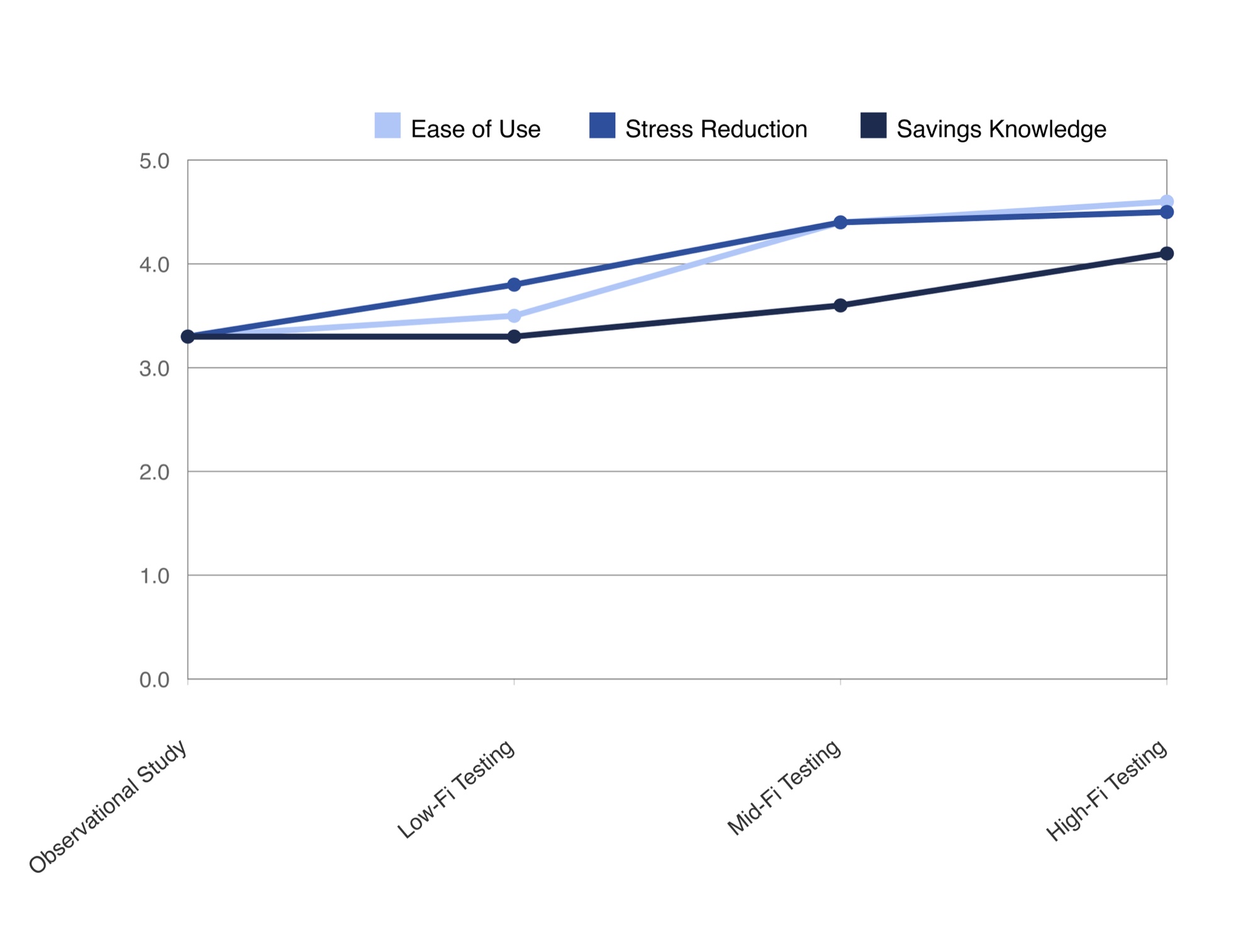
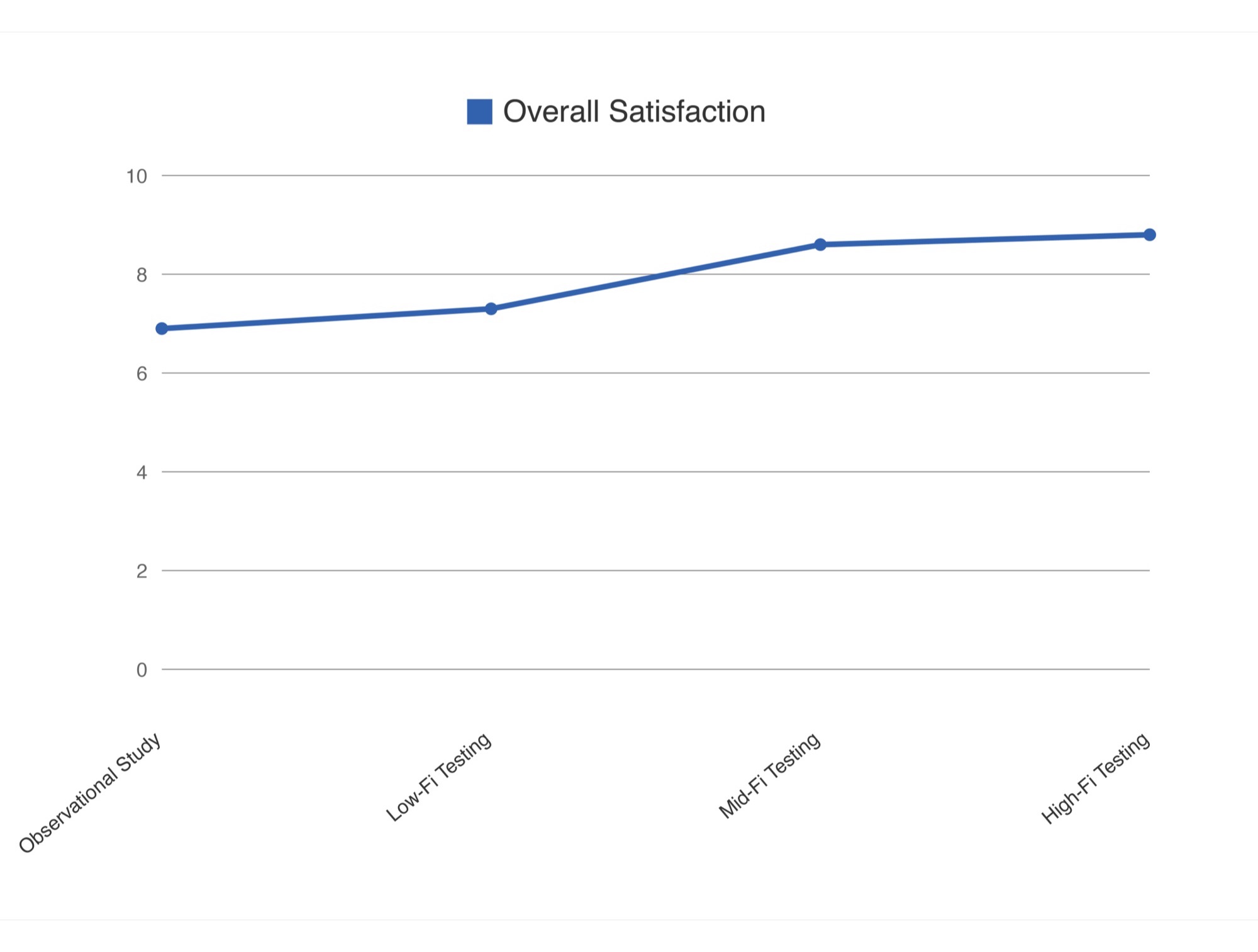
"How effective do you feel your current method is for managing your financial situation?" Initial baseline scored a modest 6.9 / 10.
Observational Study Baseline Findings
Students frequently abandoned manual spreadsheets because updating them felt like homework. Meanwhile, commercial apps were abandoned because red alert warnings provoked financial guilt rather than helpful course correction. This protocol served as the exact benchmark tested against all subsequent prototype iterations.
User Persona: Greg, The Mindful Student
Synthesizing our 20 interviews, we developed Greg, a representative 22-year-old graduate student on a teaching stipend who actively wants to save money but struggles with erratic daily expenses and cumbersome tracking tools.
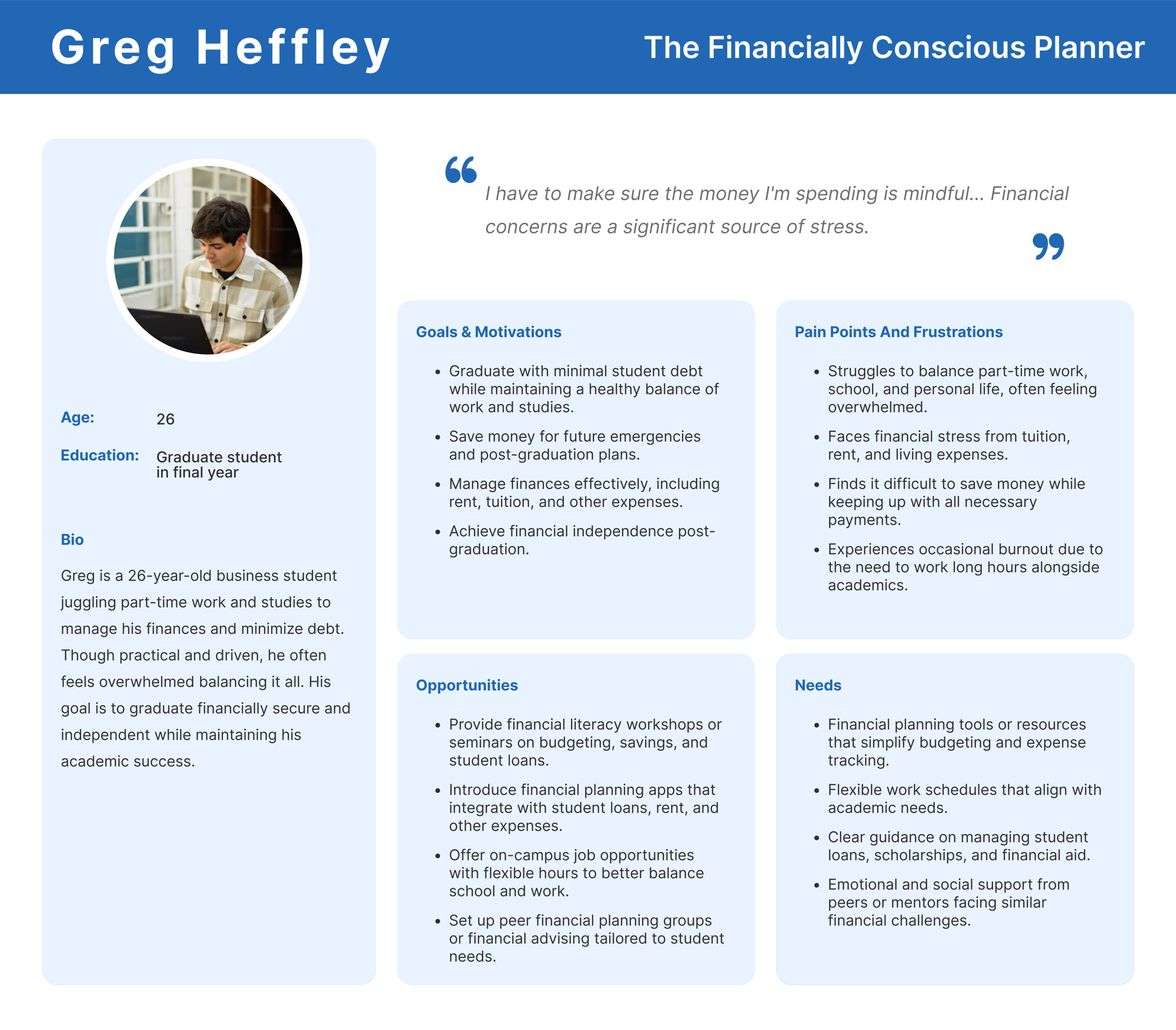
Designing for Greg's Reality
Rather than designing for a salaried professional with predictable paychecks and static monthly utilities, Greg's student context dictated our three foundational product guardrails: expense logging must take under 5 seconds between classes without manual typing, weekly safe-to-spend guidance must replace punitive red alert warnings, and semester tuition or lump-sum loan disbursements must remain completely distinct from daily discretionary cash.
User Journey Mapping: Identifying Emotional Dips
We mapped Greg's journey through a typical month of budgeting. The lowest emotional point occurs mid-month when an unexpected cost arises (e.g., textbook purchase, urgent dental visit), causing the entire monthly plan to fail and creating feelings of helplessness.
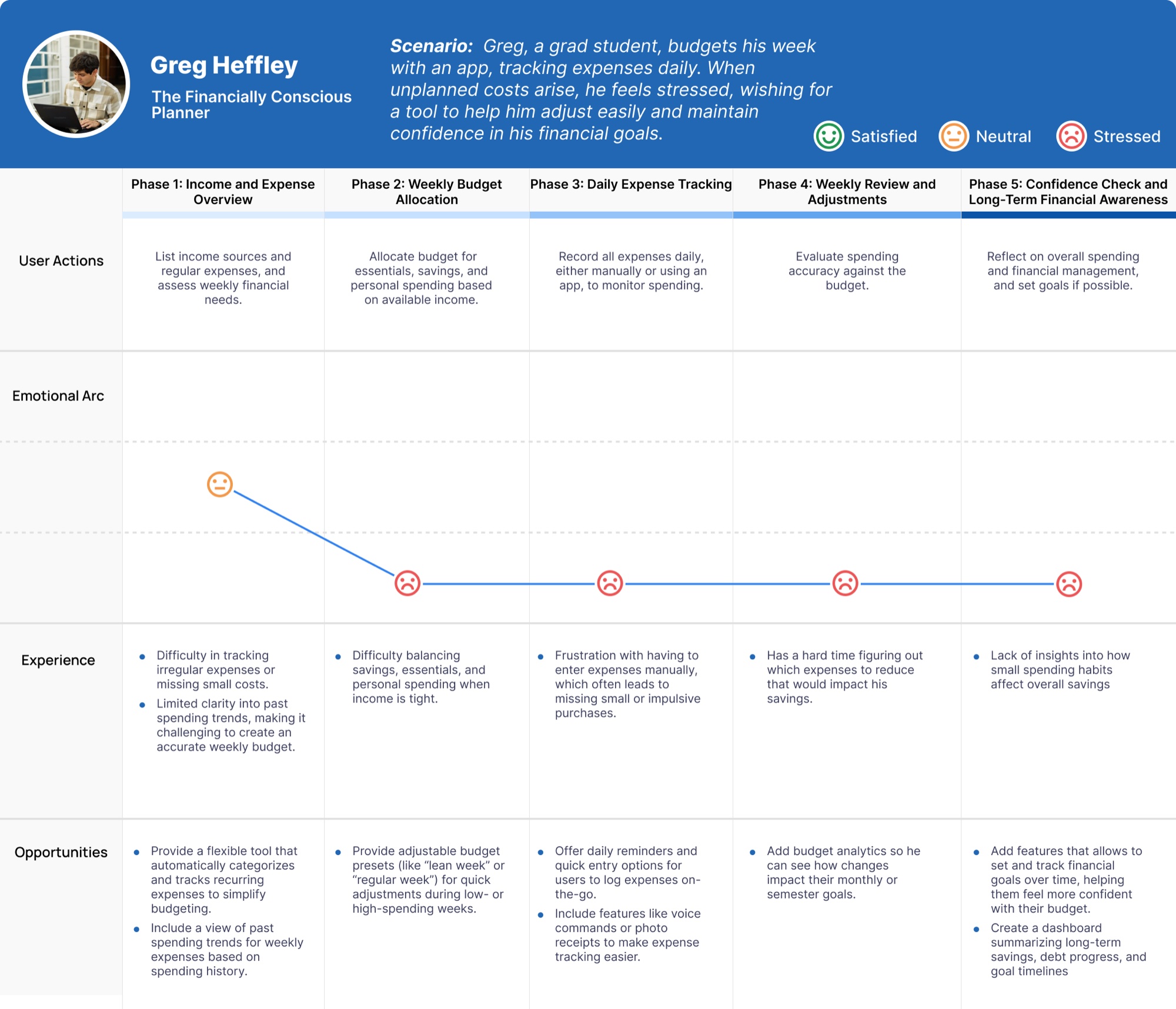
Design Takeaway from Journey Mapping
The app must treat unexpected spending not as a failure, but as a normal part of student life. Instead of marking the budget as "Broken", PennyPal provides automatic dynamic category rebalancing so users remain in control.
Brainstorming, Competitive SWOT & Mind Mapping
To transition from user research insights into actionable product architecture, we conducted two strategic ideation exercises: a competitive SWOT analysis to evaluate market gaps, and a mind mapping exercise to structure PennyPal's core feature ecosystem.
Competitive SWOT Analysis
We analyzed existing budgeting apps (such as Mint, YNAB, and Goodbudget) alongside manual spreadsheet workflows to identify unmet student needs across Strengths, Weaknesses, Opportunities, and Threats.
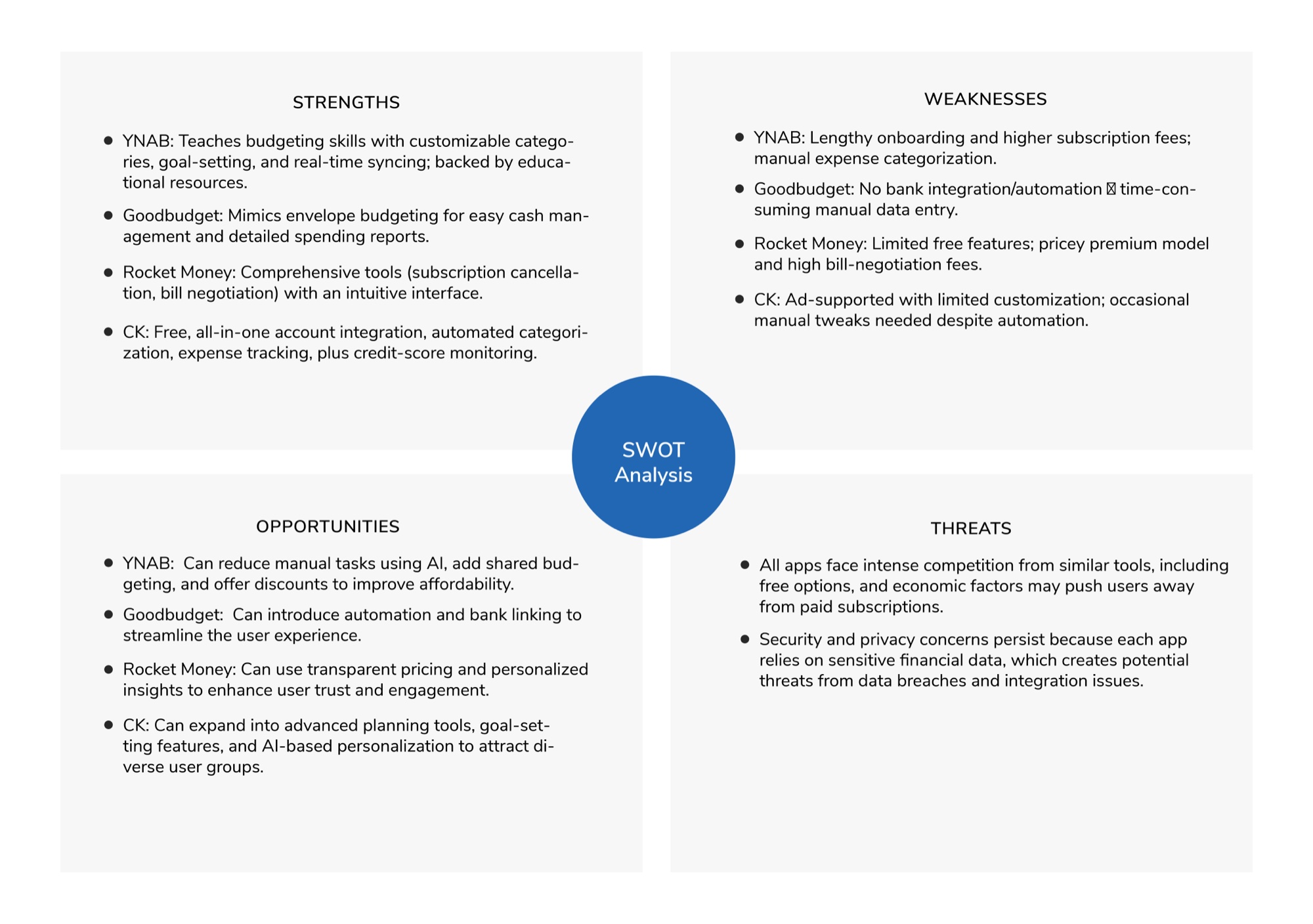
Key SWOT Insights
- Dynamic Budget Inflexibility: Existing apps lack an intuitive way to adjust budgets dynamically when unexpected costs arise.
- Underutilized AI Interaction: Automated AI-based expense tracking remains largely absent in student-focused financial tools.
Mind Mapping & Feature Architecture
To bridge the gap between user pain points and potential solutions, we conducted a mind mapping exercise to explore key features that would enhance PennyPal's usability and impact. The mind map branched out into several core functionalities:
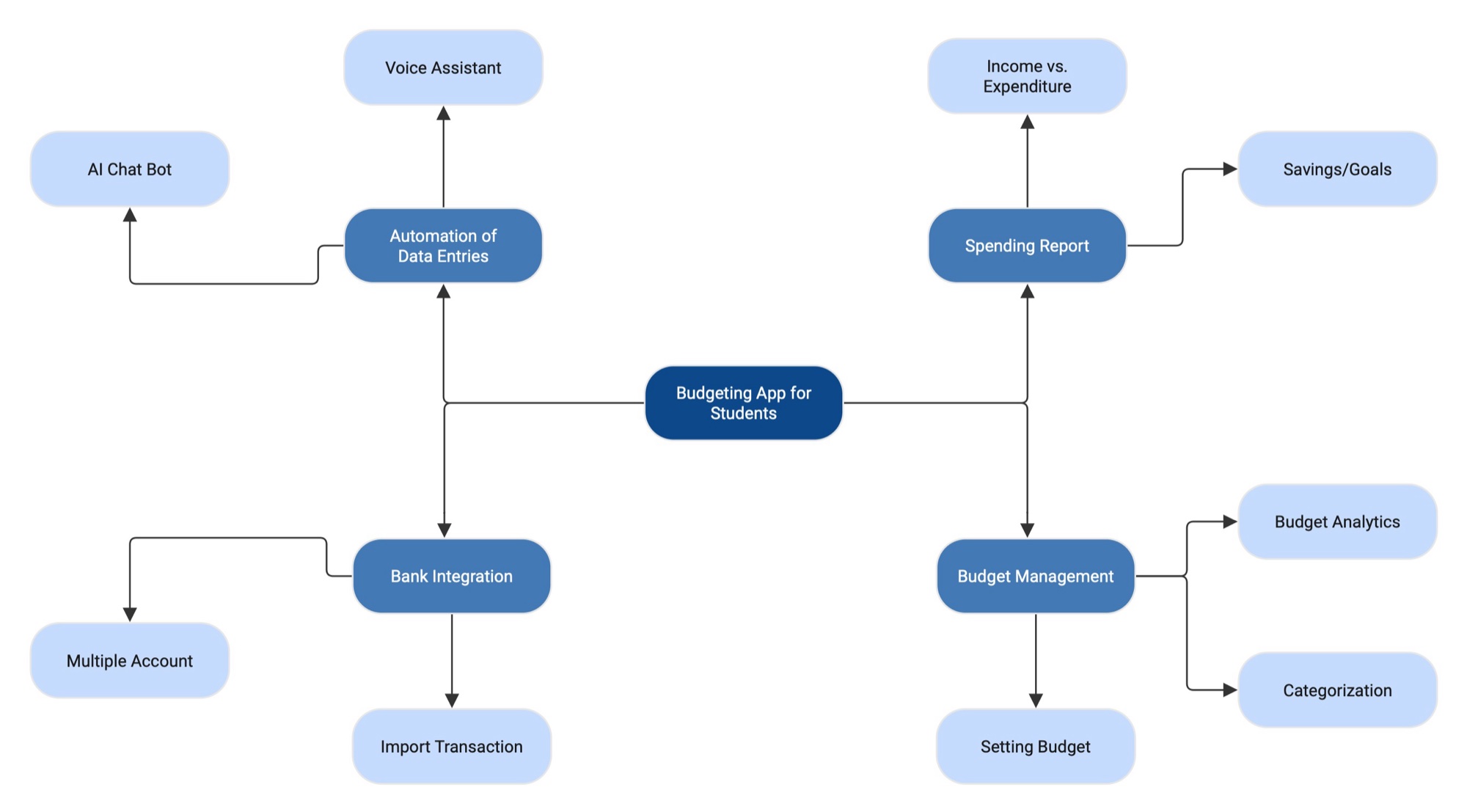
1. Data Entry Automation
Voice Assistant entry and AI Chatbot assistance for natural speech logging.
2. Budget Management
Setting custom budgets, dynamic sliders, and automatic categorization.
3. Spending Reports
Income vs. expenditure telemetry and linked bank account synchronization.
Wireframing & Initial Usability Testing
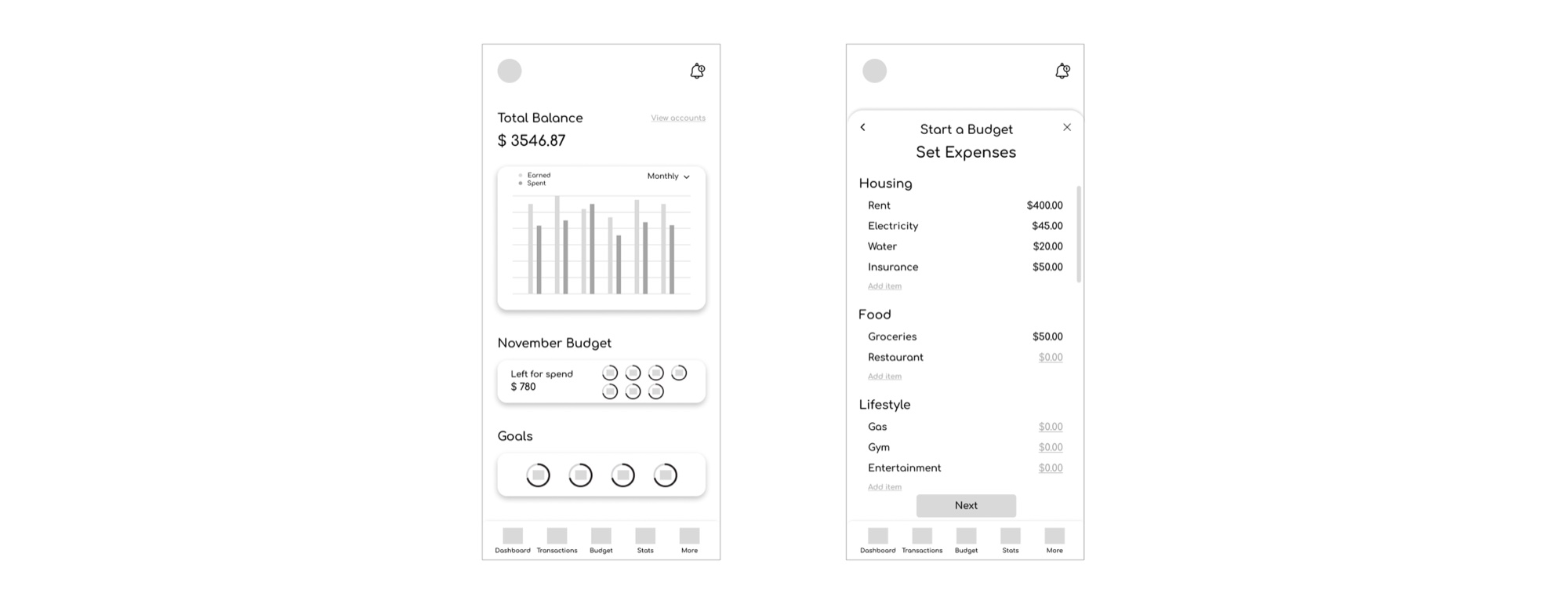
We tested the low-fidelity wireframes with 8 students to gather qualitative feedback on initial designs and information architecture:
Home & Budget Setting Screen
User Feedback:
- The homepage needs more detailed budget information.
- The budget entry fields lack an intuitive design.
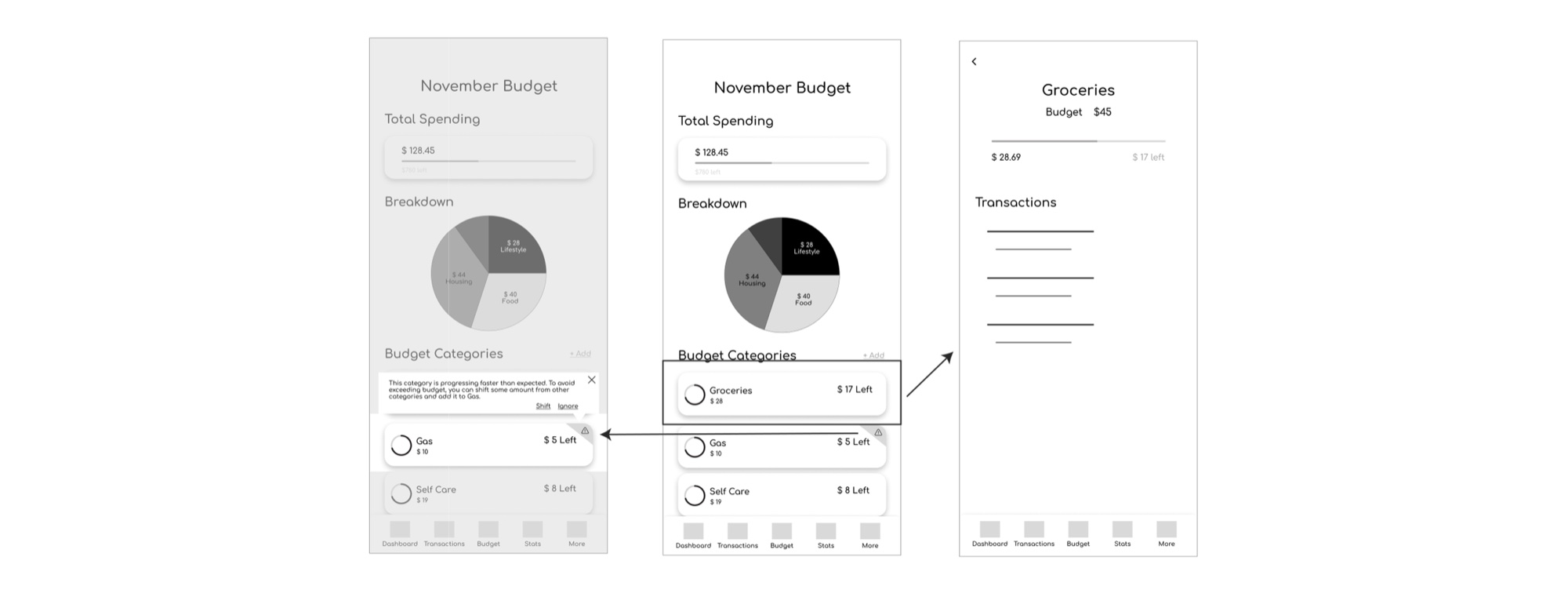
Tracking Budget Screens
User Feedback:
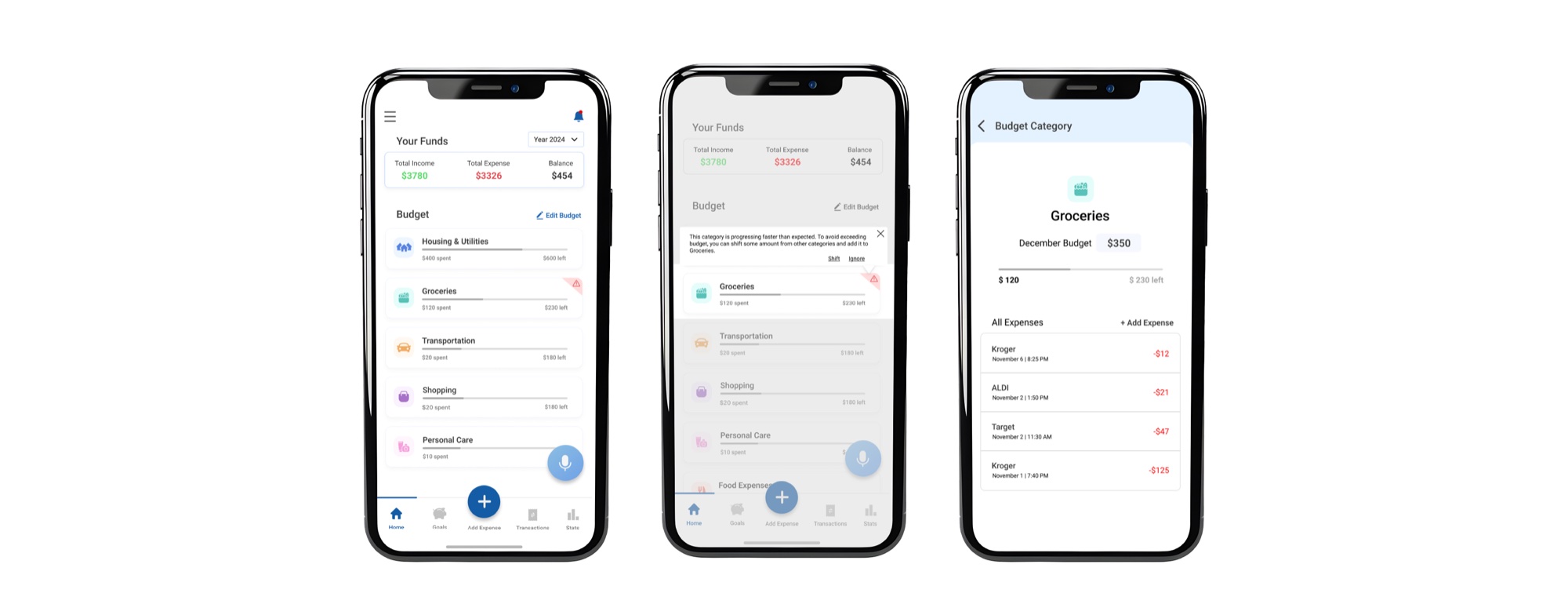
- Category details were reported as valuable.
- The alert feature was appreciated.
Mid-Fidelity Design Testing & Critical Iterations
Based on user feedback from the low-fidelity designs, we implemented the changes in the mid-fidelity version and tested the updated screens again using the same KPIs, this time with a mix of previous participants and new participants.
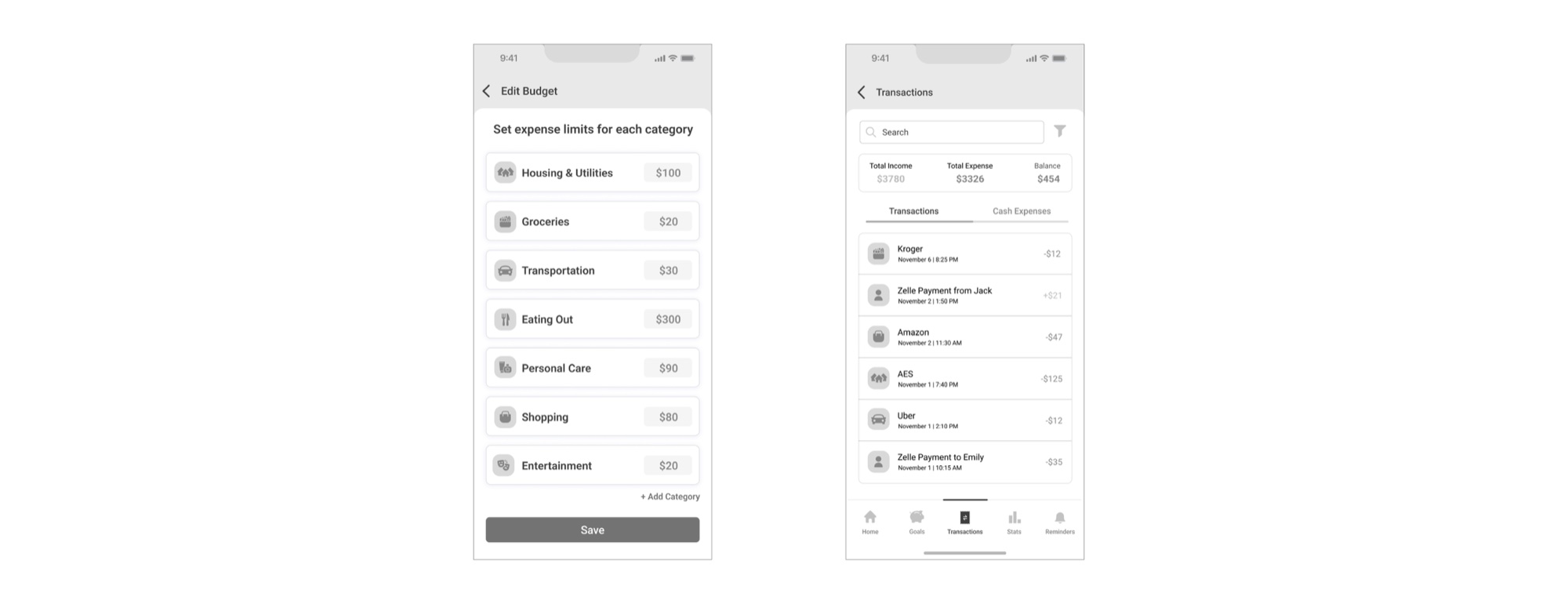
Home Page & Budget Allocation
User Feedback:
- Users appreciated having category details on the homepage.
- Box input fields were well-received.
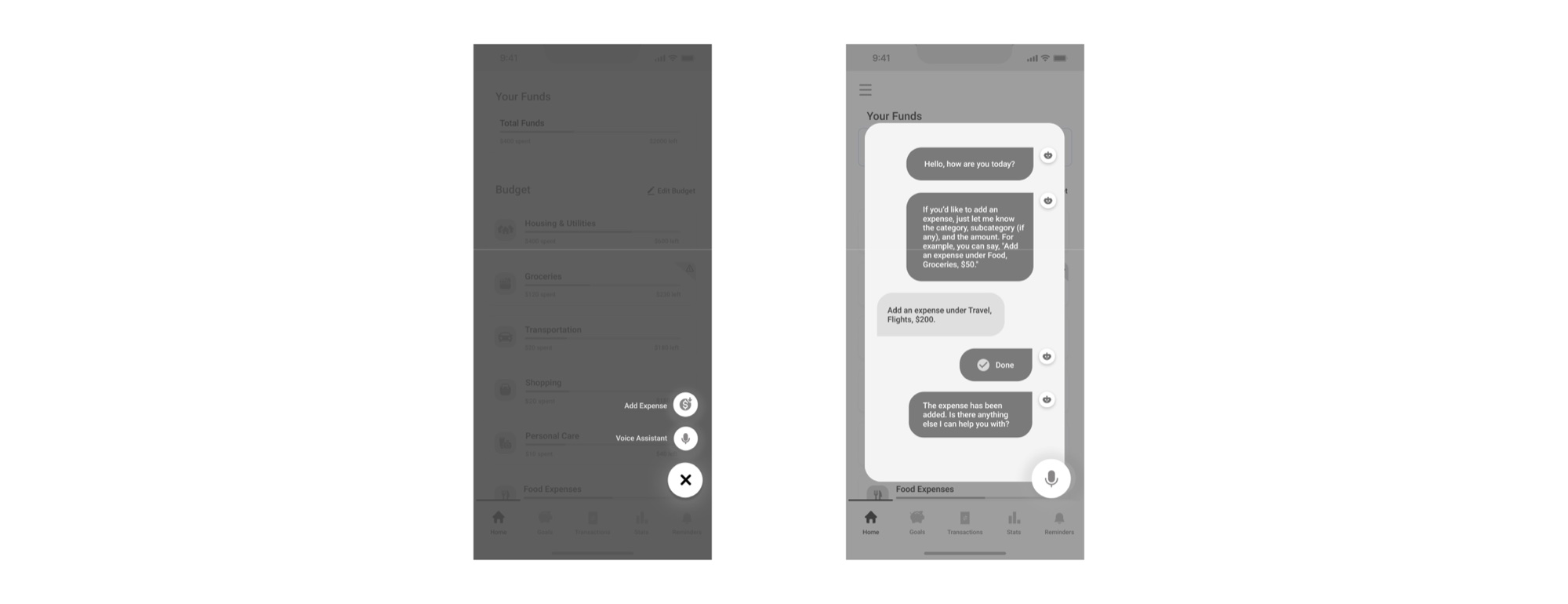
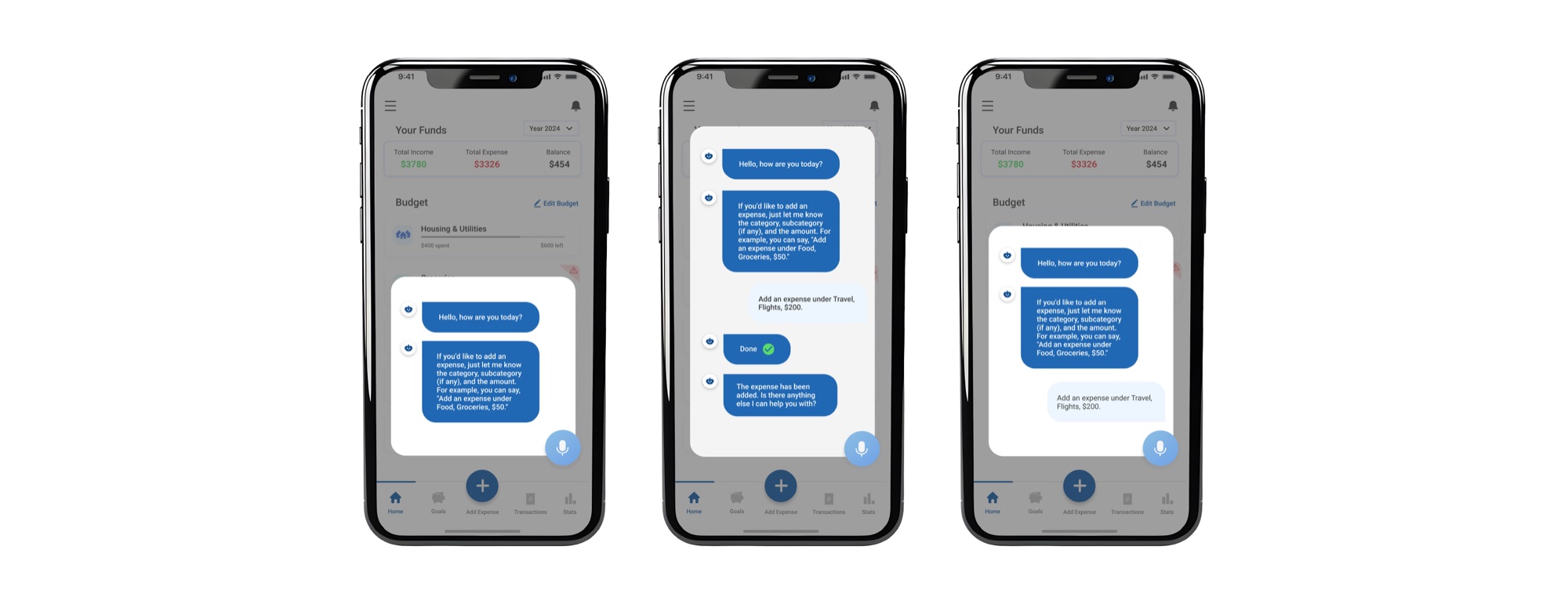
Voice Assistant & Floating Button Interaction
User Feedback:
- The Voice Assistant feature was well-liked.
- However, the grouped floating button for Voice Assistant and Add Expense confused users.
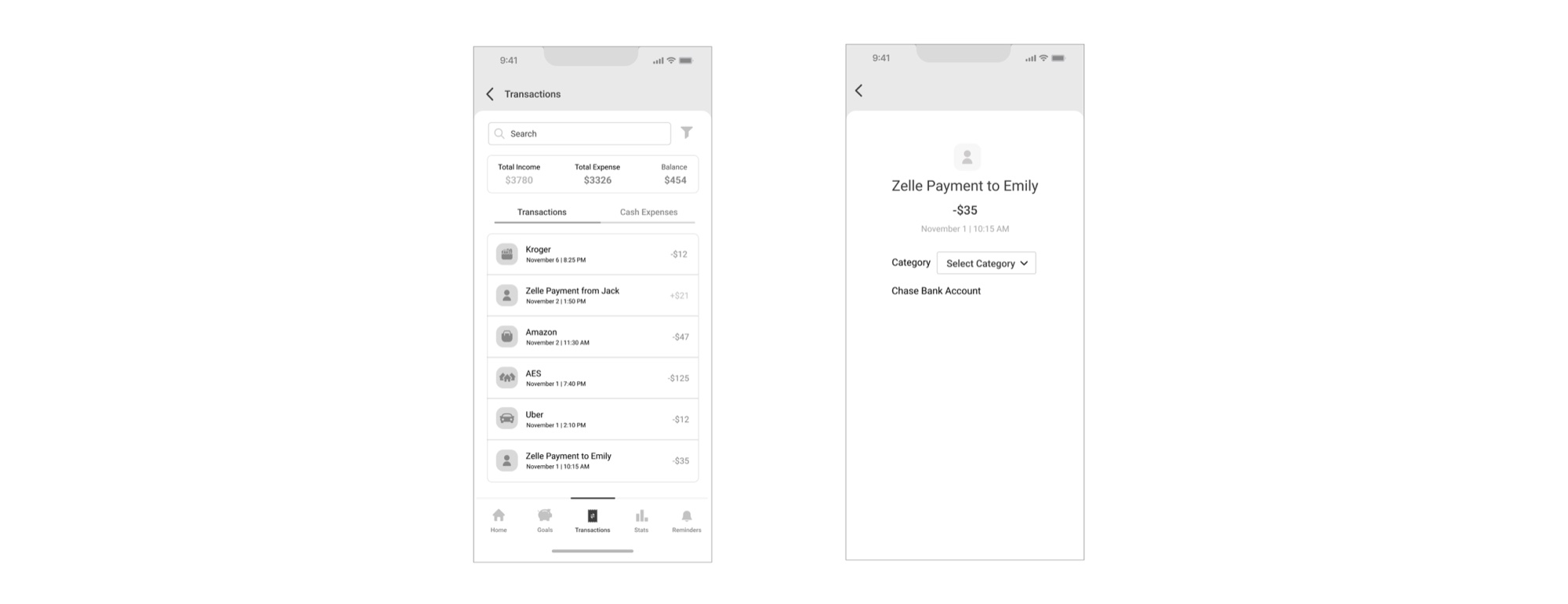
Tracking Budget & Transaction Categorization
User Feedback:
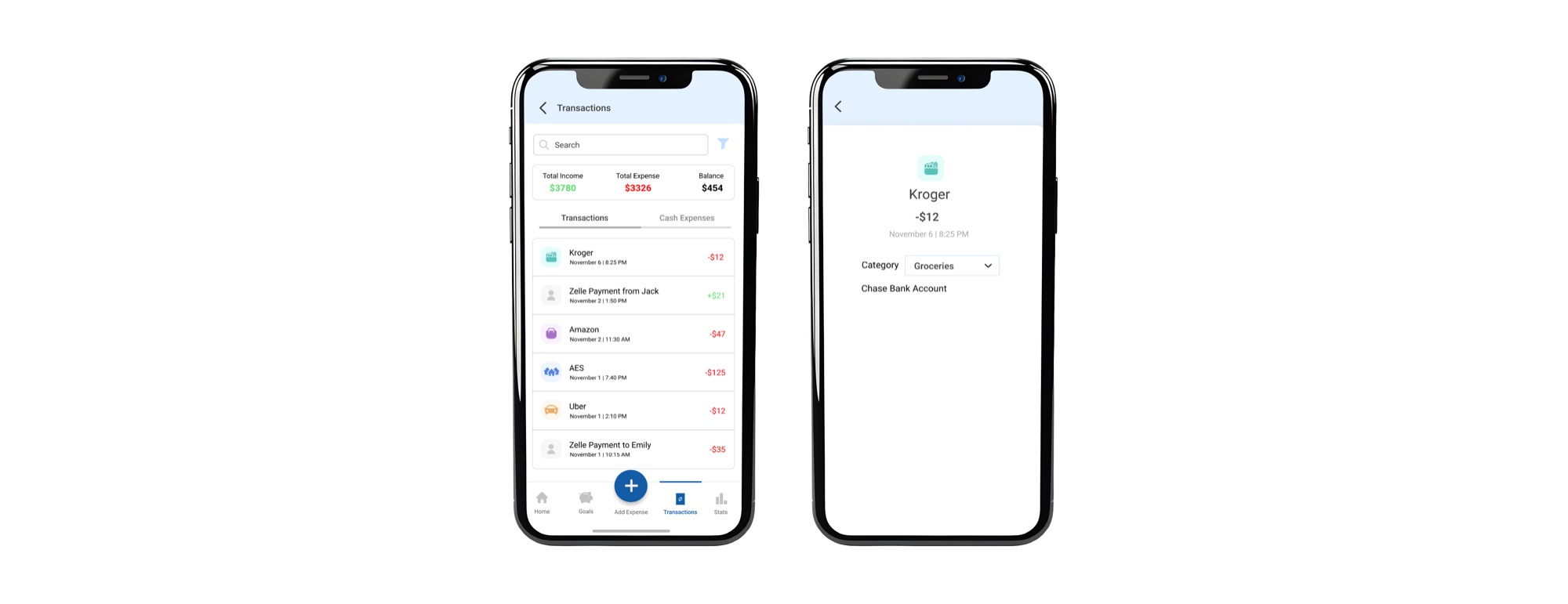
- Auto-categorization of transactions based on linked bank accounts was well received.
- Users liked the option to change the category of transactions to correct errors.
Updates Based on Feedback
Changes Implemented:
- Included Add Expense in the bottom navigation to avoid confusion and for easy access.
- A drop down menu was added to select yearly or monthly view of funds.

High-Fidelity Interface Showcase
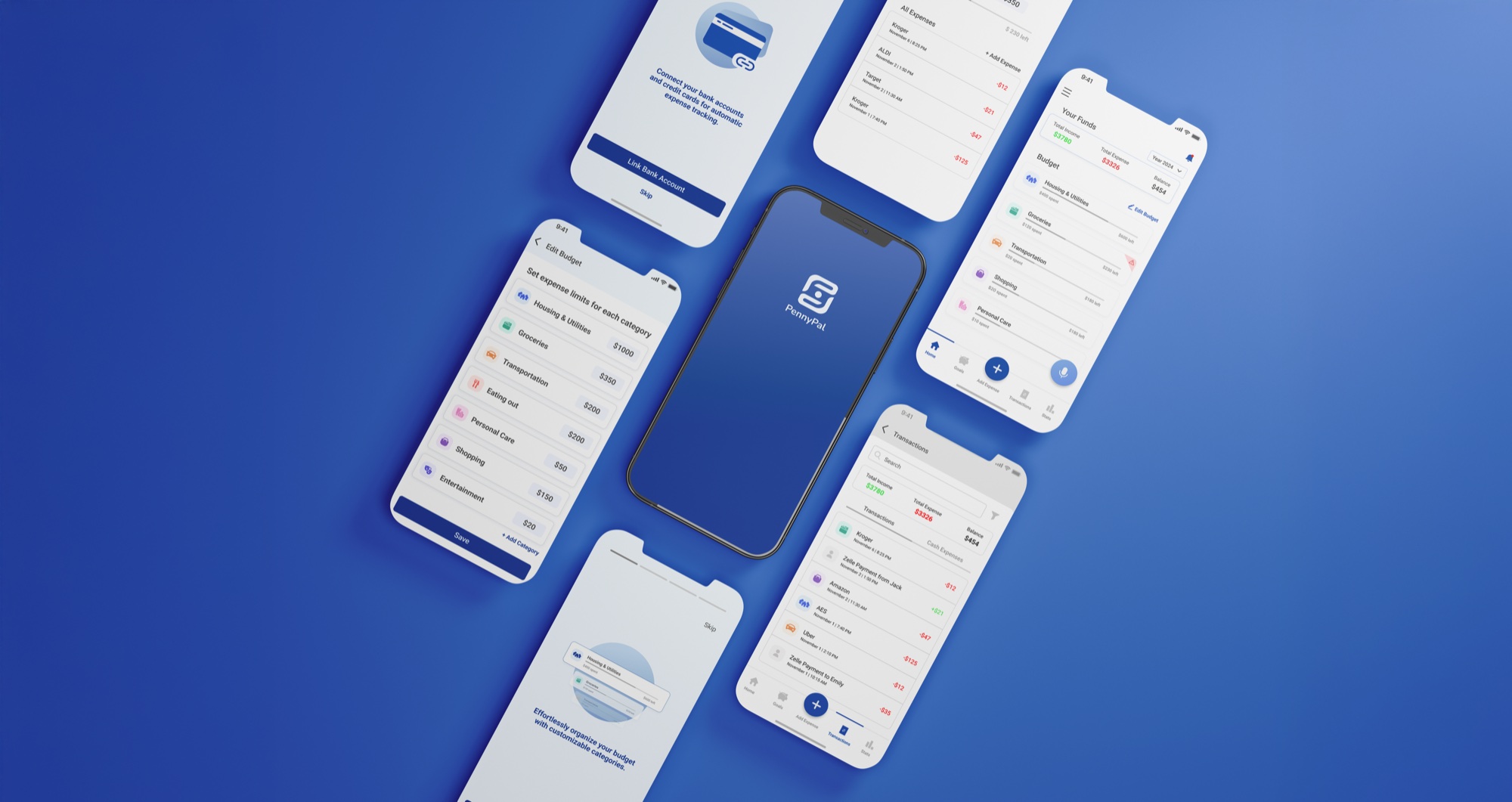
The final PennyPal application combines calm aesthetics, soft rounded cards, clear typographic hierarchy, and rapid multi-modal entry. Below are the 6 core screens addressing student financial wellbeing.
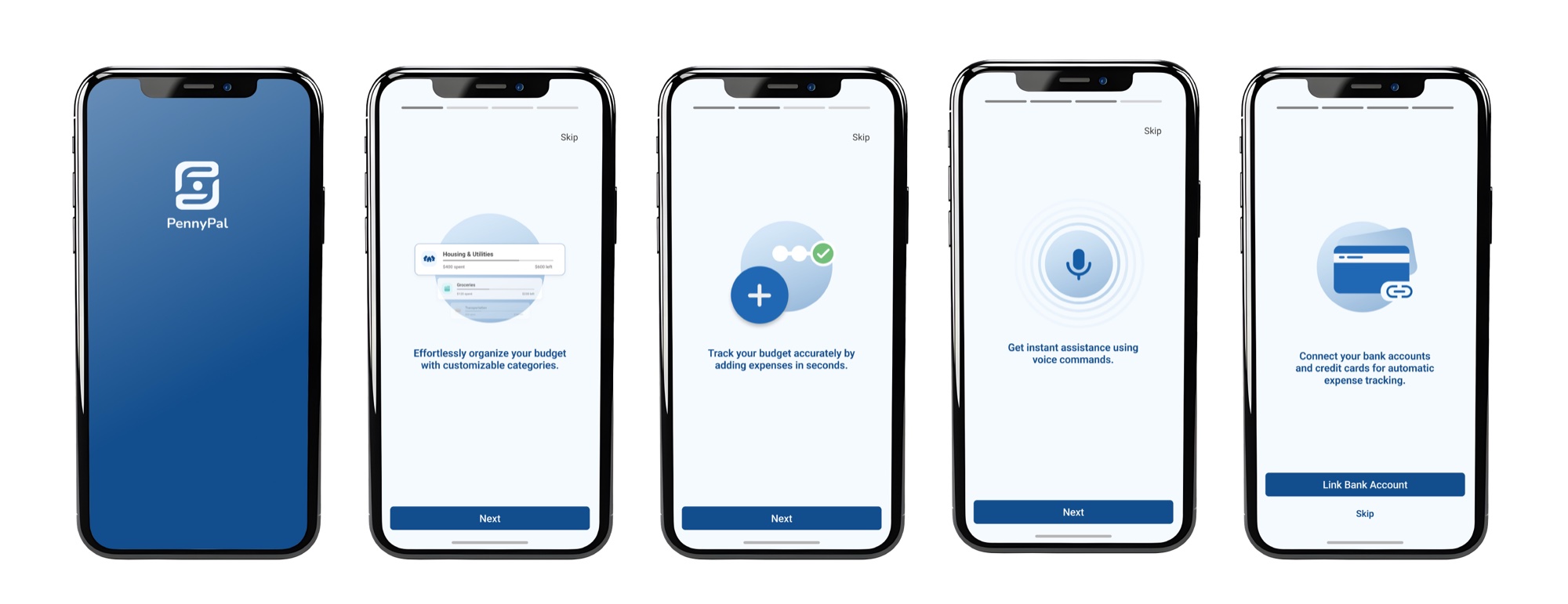
Thoughtful Onboarding & Goal Setting
Welcomes students with gentle, reassuring language rather than demanding tax documents. Allows students to declare their primary financial goal (e.g., "Build an emergency fund", "Track grocery spend") and select whether their income is monthly, weekly, or semester-based.
Calm Home Dashboard & Safe-to-Spend
Presents total balance alongside "Safe to Spend This Week", insulating students from accidental end-of-month deficits. Visual category breakdown cards display progress bars with calm teal tones instead of threatening red alert bars.
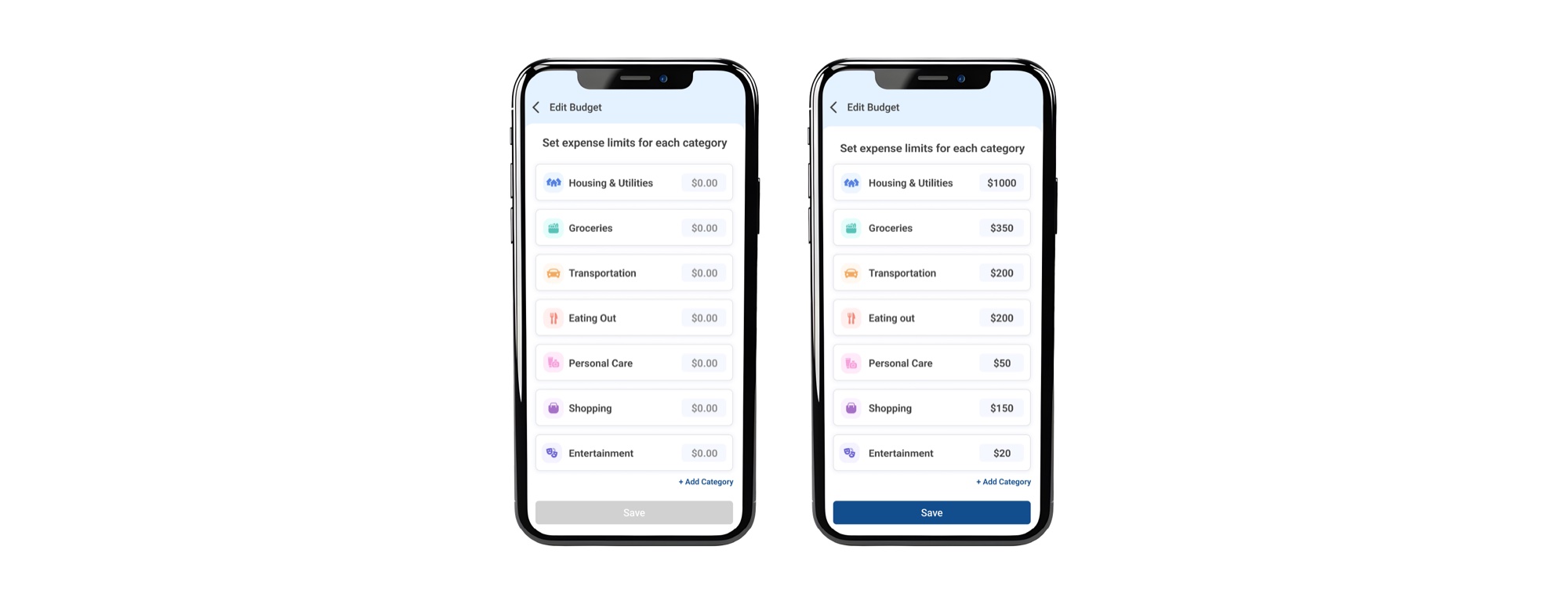
Flexible Budget Setting & Funds Allocation
Allows instant adjustments across key student buckets: Rent, Groceries, Dining Out, Academic Supplies, and Social. Includes the yearly versus monthly timeframe selector, so students can plan tuition and loans seamlessly.
Transaction History & Smart Filtering
Clean, chronological ledger categorizing every purchase with recognizable merchant logos and clear tags. Users can search by keyword or filter by date range and expense category with one tap.
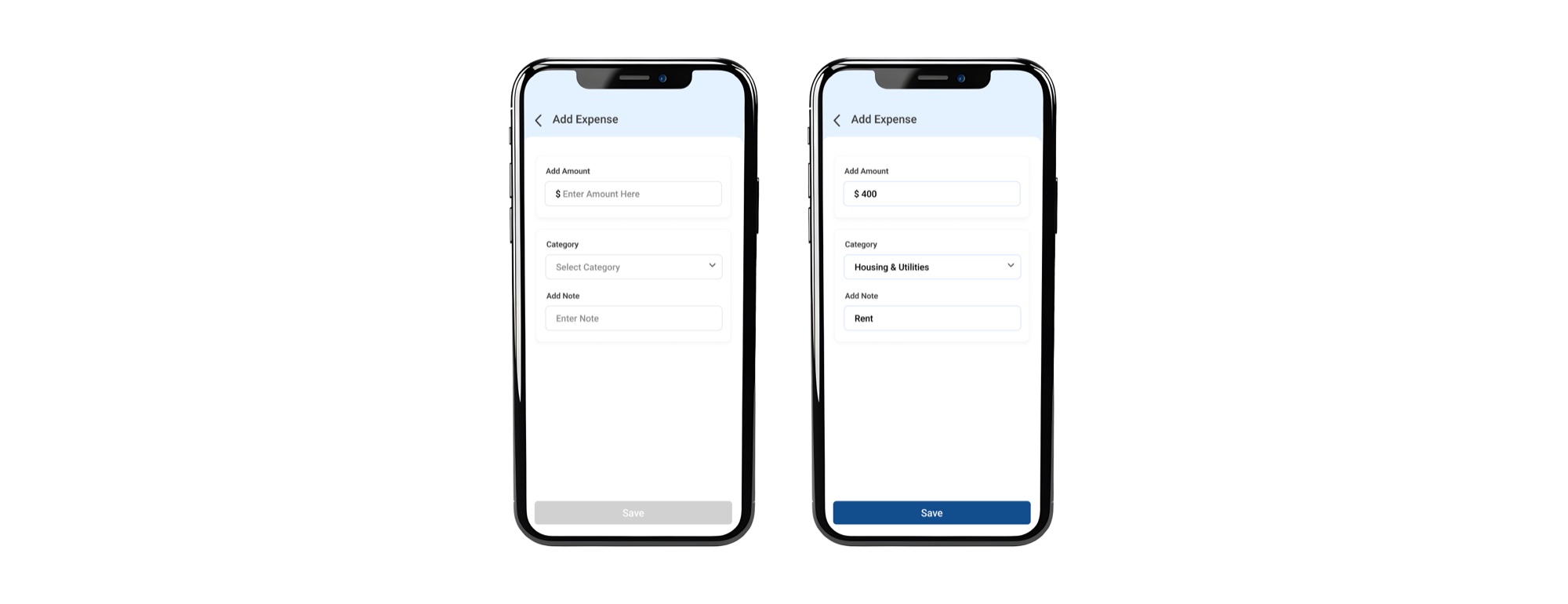
Frictionless Expense Logging & Smart Prediction
Large, thumb-friendly numeric keypad with automatic category recommendation based on merchant history. Users enter an amount and confirm in less than 3 seconds, removing entry friction entirely.
Penny AI Voice Assistant Interaction
The flagship innovation of PennyPal: students simply speak naturally while walking out of a coffee shop ("Add $4.50 for iced latte"). Penny's natural language engine extracts the amount, assigns the category, and confirms with gentle voice feedback.
Final Impact & Quantitative Benchmarks
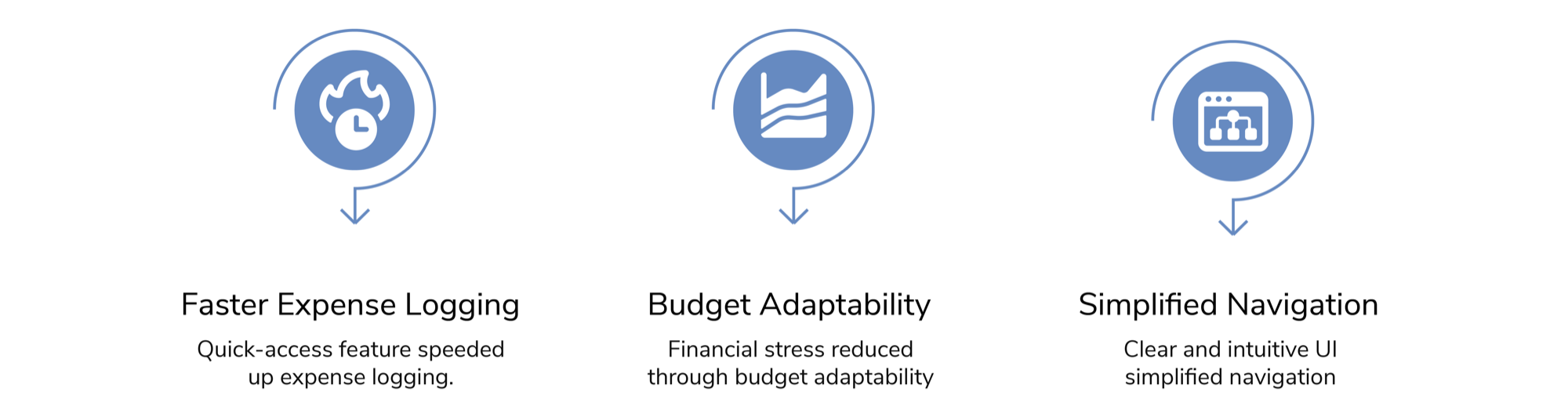
We evaluated PennyPal across each iterative design stage using the exact same KPI protocol established during our initial discovery research: comparing the Observational Baseline against Low-Fi, Mid-Fi, and the Final High-Fi Prototype. The quantitative data demonstrated steady improvements in usability, cognitive relief, and overall financial confidence.
+34%
Improvement in usability ratings compared to participants' previous manual spreadsheet and legacy app methods.
6.9 to 8.8
Increase in overall financial confidence and satisfaction scores from initial baseline to high-fidelity prototype (+26% gain).
< 5 Seconds
Average transaction logging duration using Penny AI voice commands, down from 15 minutes of manual bookkeeping.
Behavioral Shift: From Avoidance to Agency
The quantitative metrics above reflect an essential psychological transition observed during testing. When budgeting tools require extensive manual bookkeeping and greet users with punitive red warning banners, students naturally disengage to protect themselves from financial anxiety.
By pairing zero-friction voice logging with calm, forward-looking safe-to-spend targets, PennyPal transformed financial management from a burdensome chore into a momentary, guilt-free habit. Participants reported opening the app casually between classes rather than postponing reviews until the end of the month, proving that emotional safety and interface accessibility are fundamental prerequisites for student financial literacy.
Key Personal Reflections
Designing PennyPal reinforced that personal finance is not an accounting problem: it is an emotional and cognitive friction problem. Removing punitive red feedback loops and replacing typing with voice transcription fundamentally shifted students from avoiding their finances to feeling confident and supported.